Microsoft Edge on Surface Duo
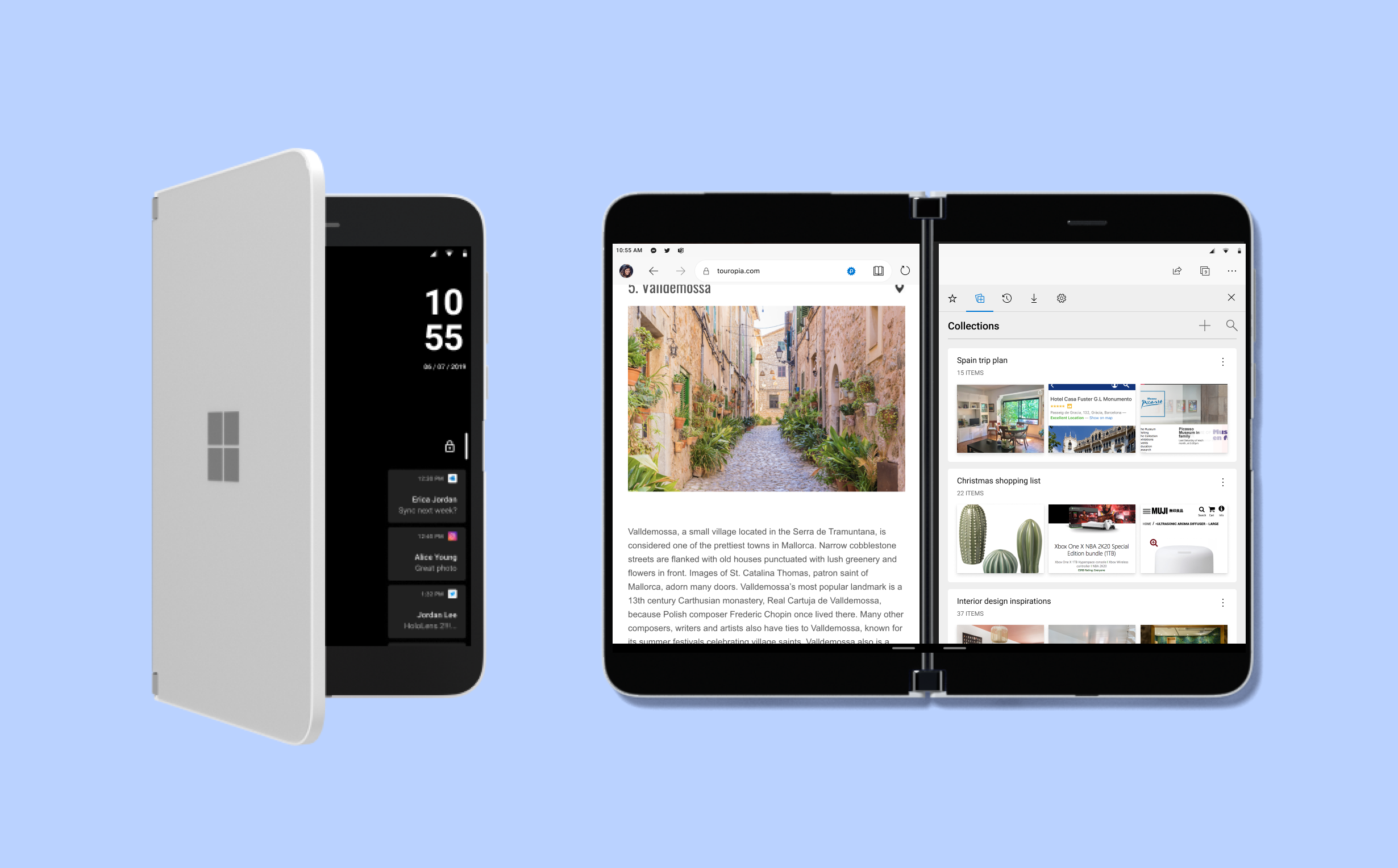
Surface Duo is an Android-based mobile device from Microsoft, scheduled to launch in the holiday season of 2020. As one of the pre-installed apps and the default browser for the Duo, Edge brings an enhanced experience for customers, boosting their productivity on this dual screen device.
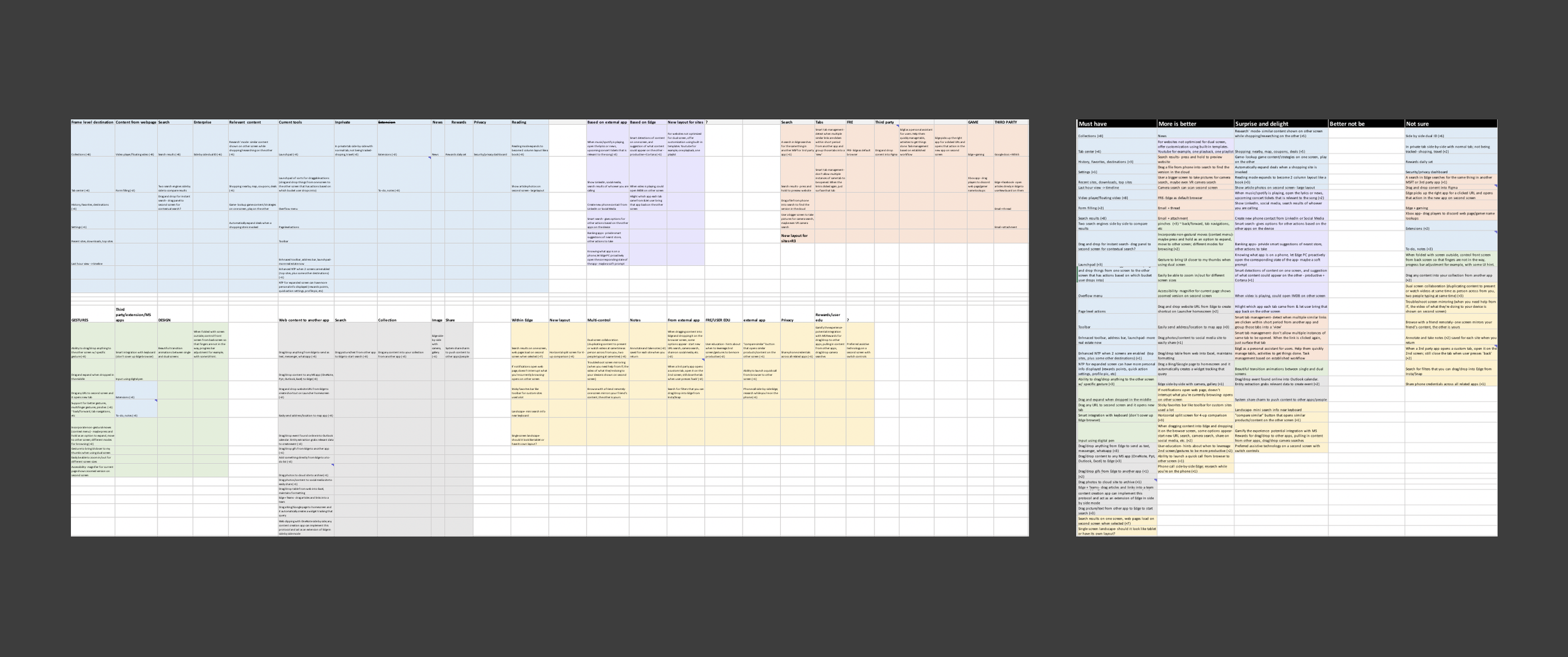
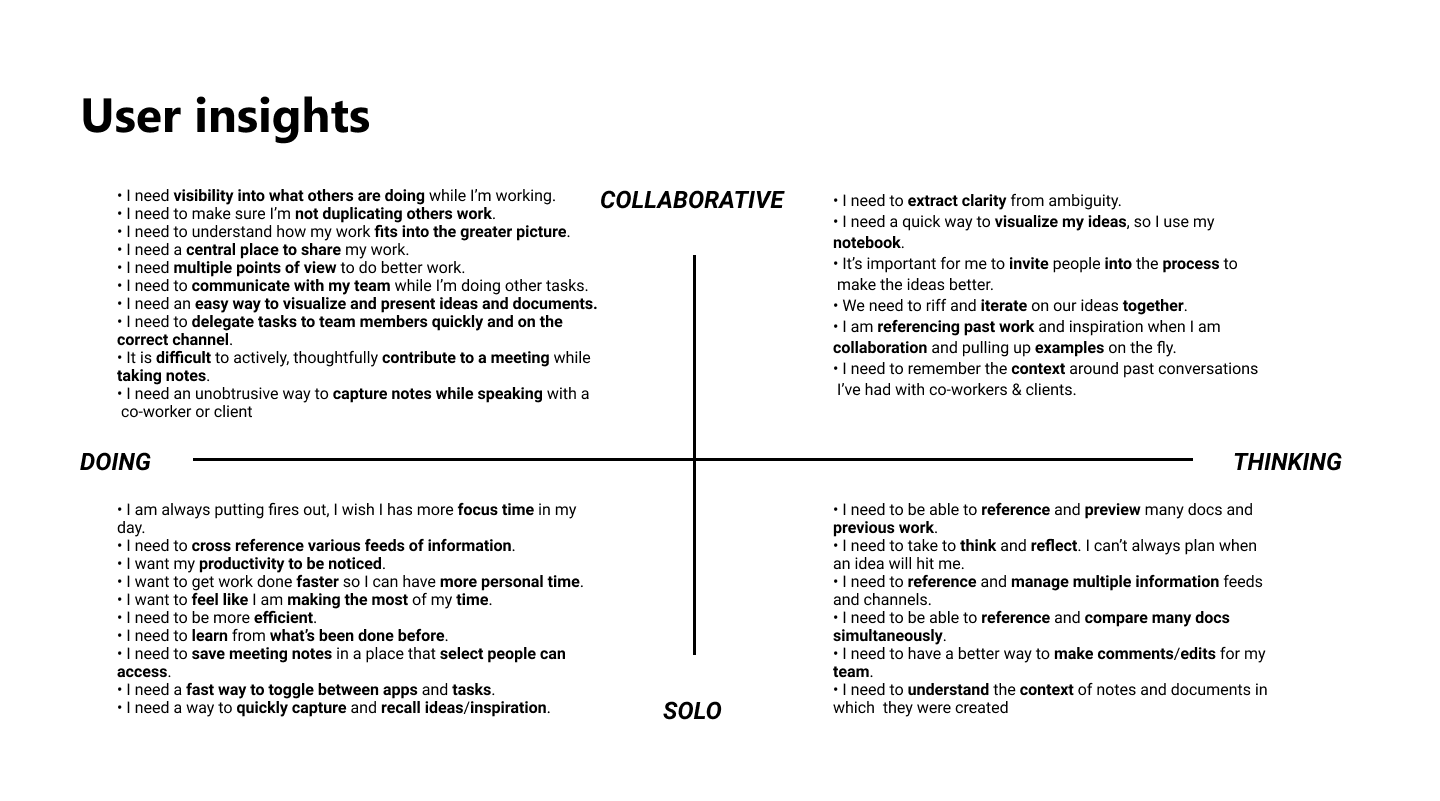
DefineI worked closely with the Program Manager to prepare and facilitate a kick-off meeting and brainstorm sessions with stakeholders from different disciplines, including PMs, designers, developers, and Marketing Specialists. We shared user insights and ideated based on user needs. The program manager and I synthesized and prioritized the input from the sessions and shared it with the broader audience for review.
After the initial design sprint, dev investigation, and review meetings, the PM scoped and prioritized feature lists based on the schedules. Before the iterations kicked off, I conducted design explorations based on initial meetings, which helped engineers do early investigations. I have also collaborated with other apps’ design teams to run sketch sessions. I worked with motion designers to create a high-level flow for review meetings with SVPs and the high-level management team.


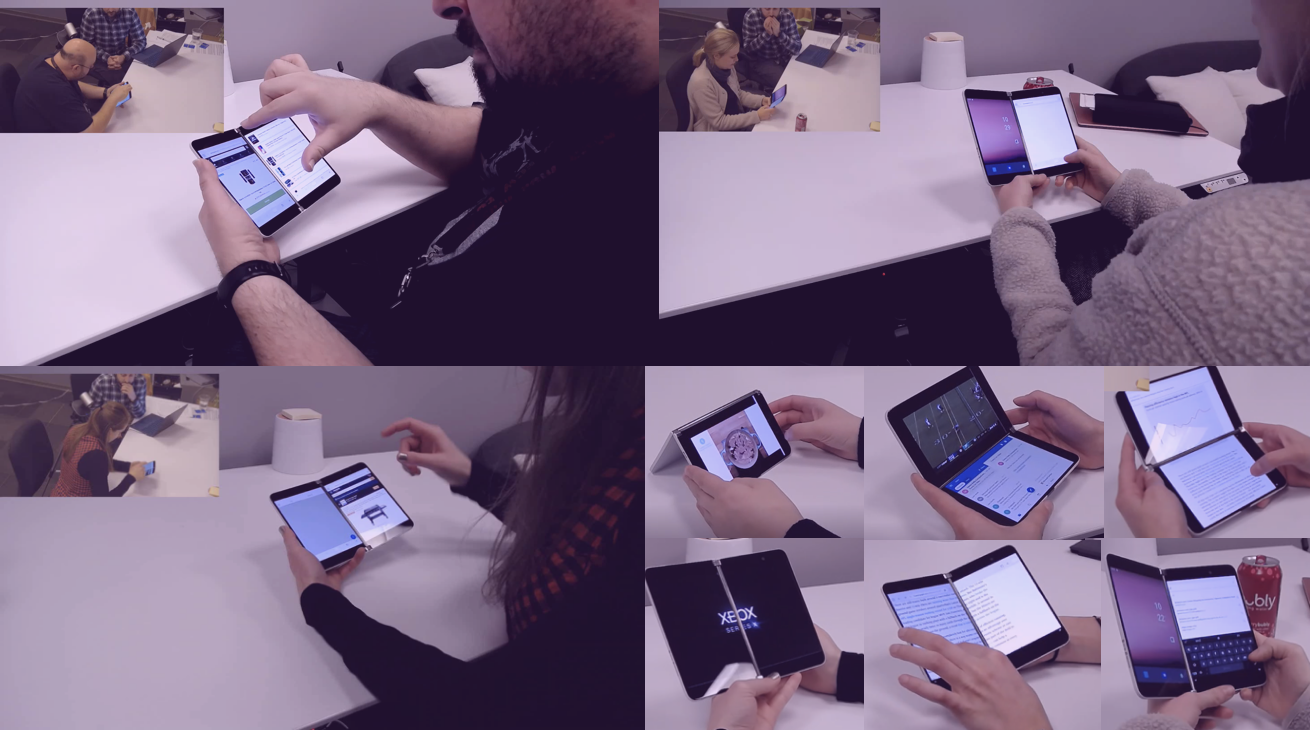
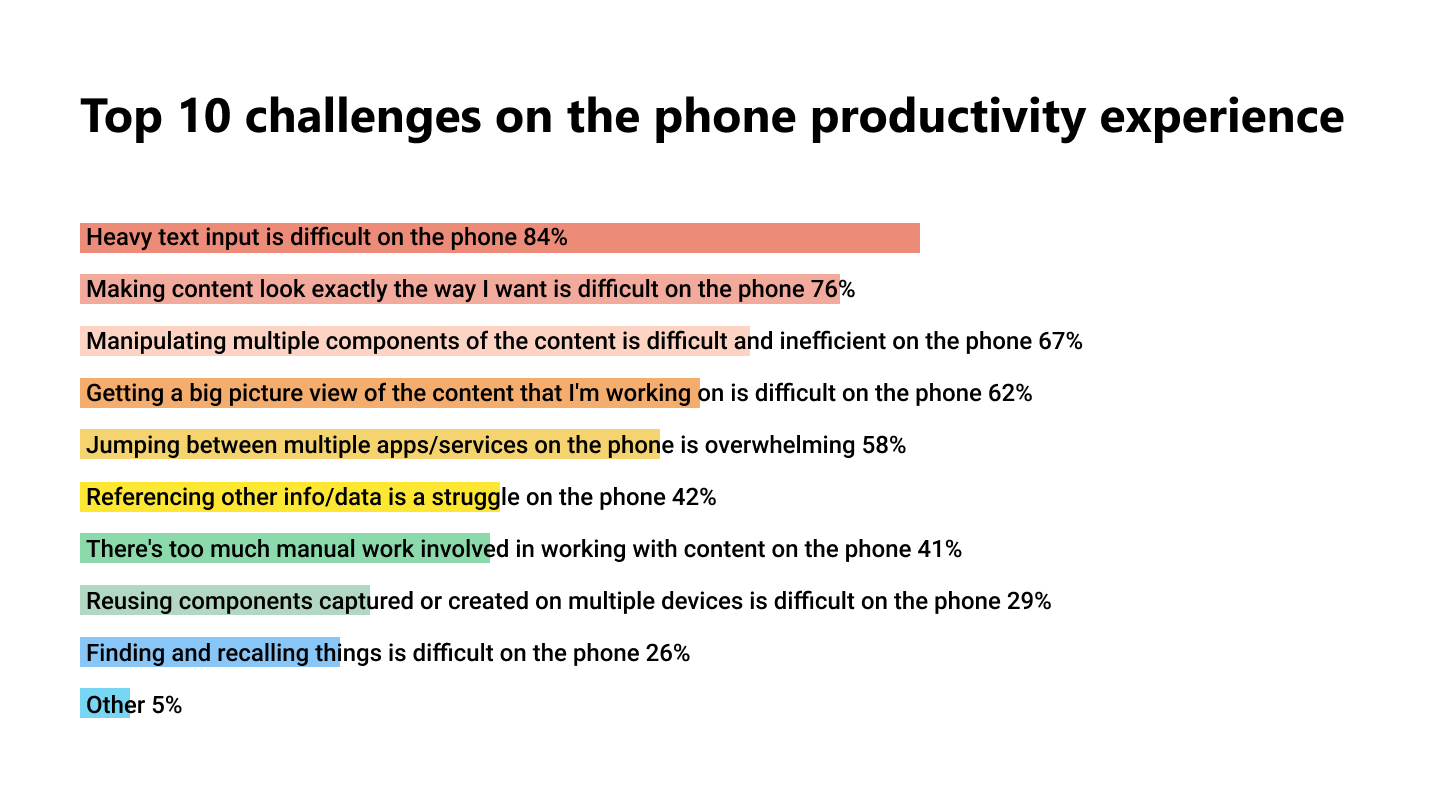
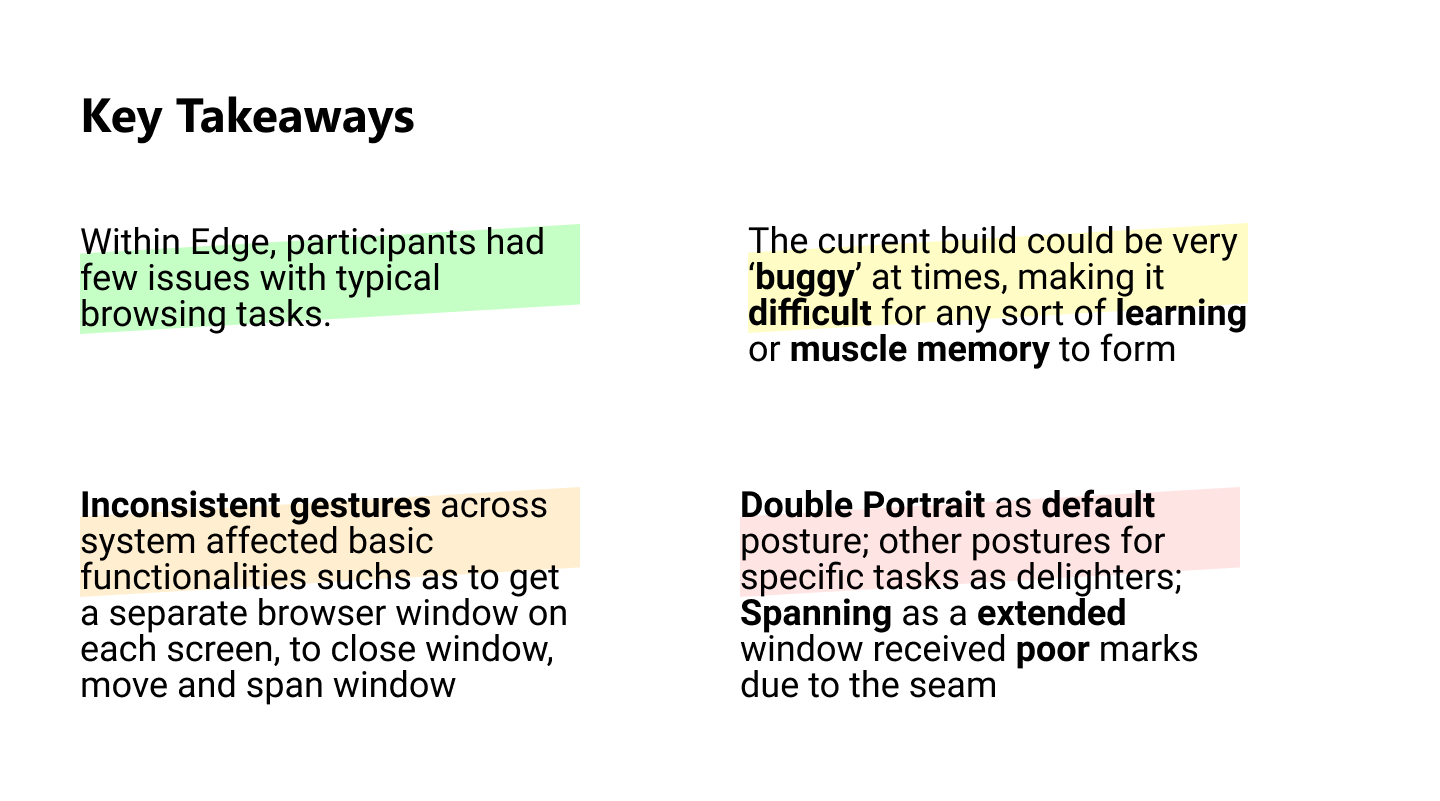
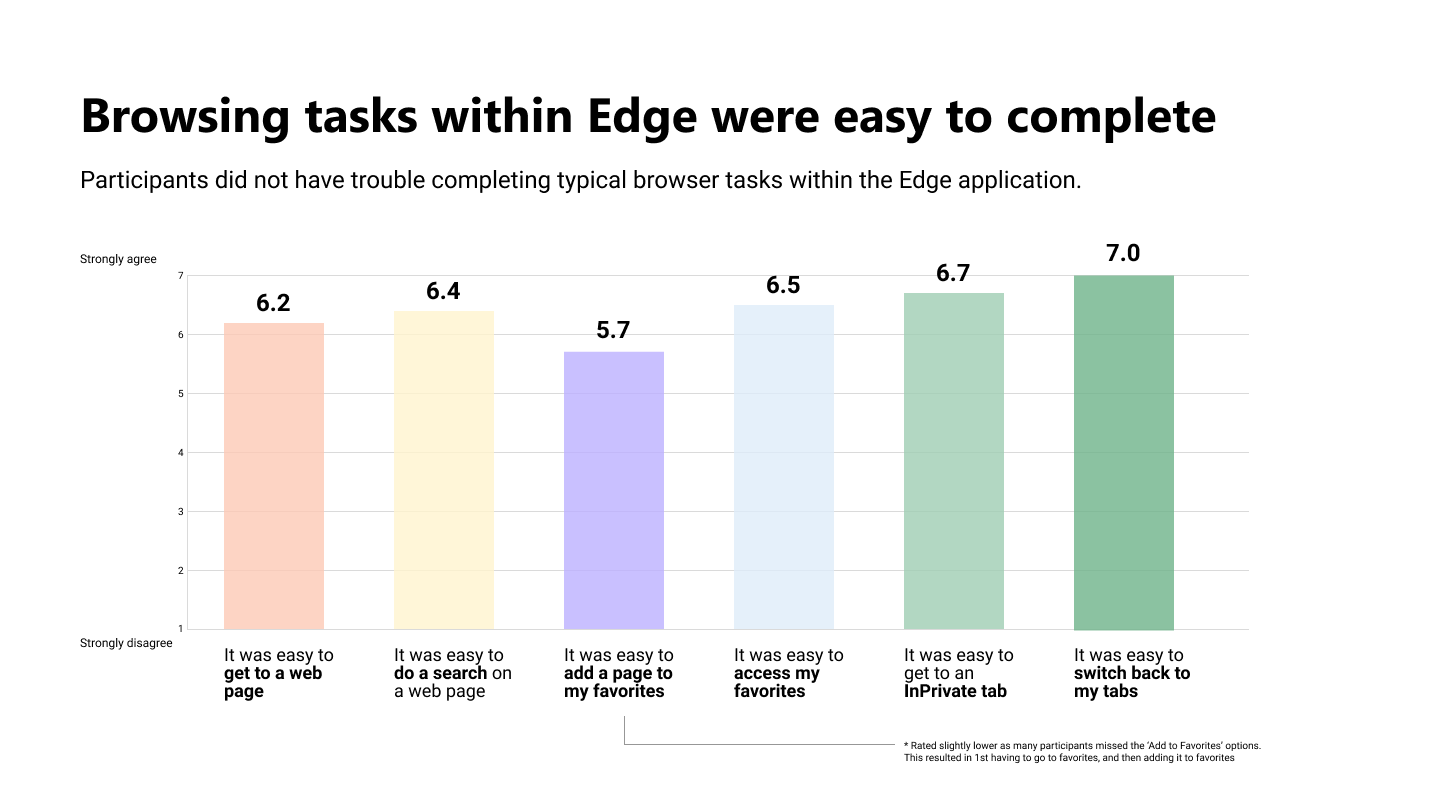
ResearchAs a research advocate, I have been pushing to make research happen in the early stage of the product cycle. After the engineering team provided a workable APK on a real device, I worked closely with the research team to conduct usability testing.
The findings not only helped to validate design assumptions but also inspired future explorations and marketing ideas.
DesignFundamentals | Key Features
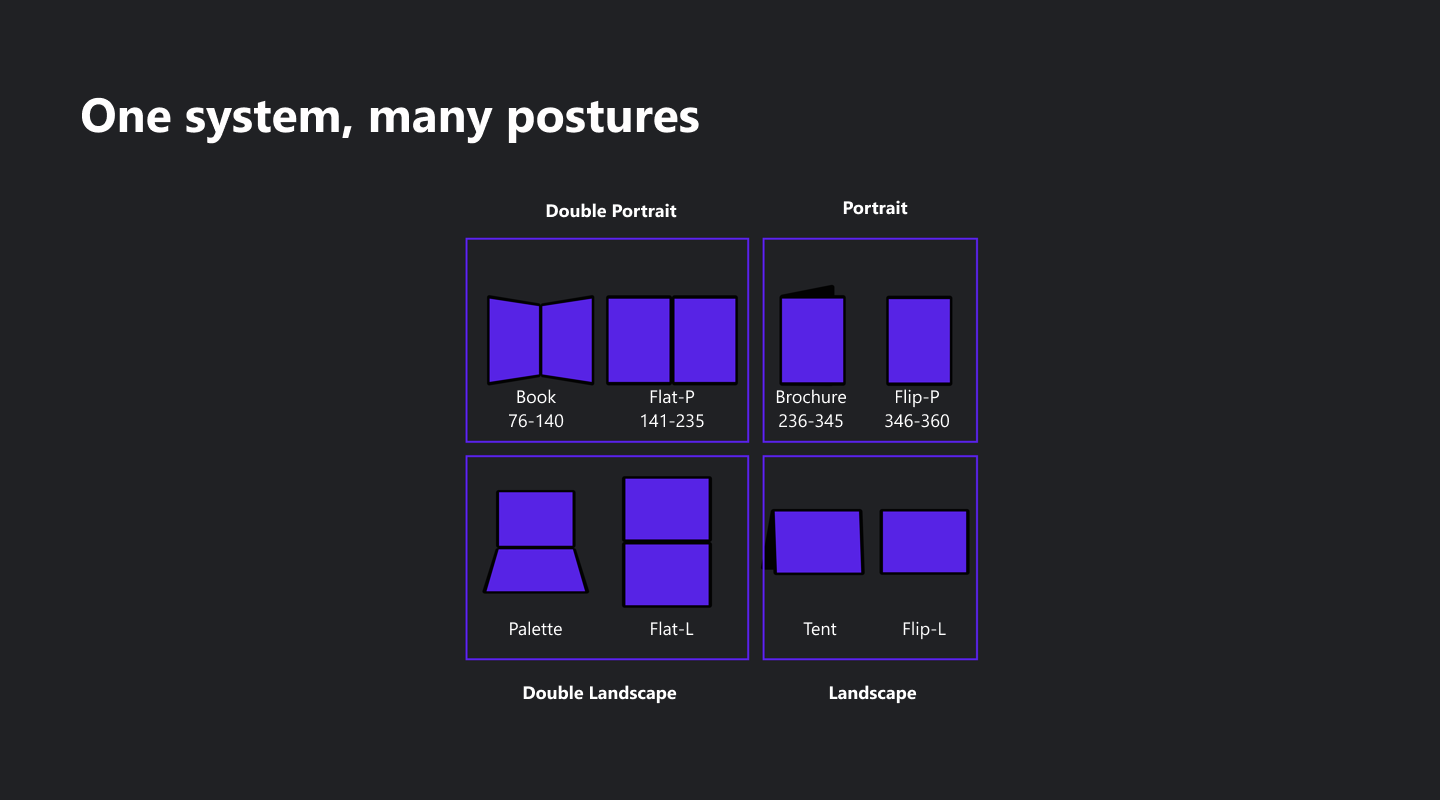
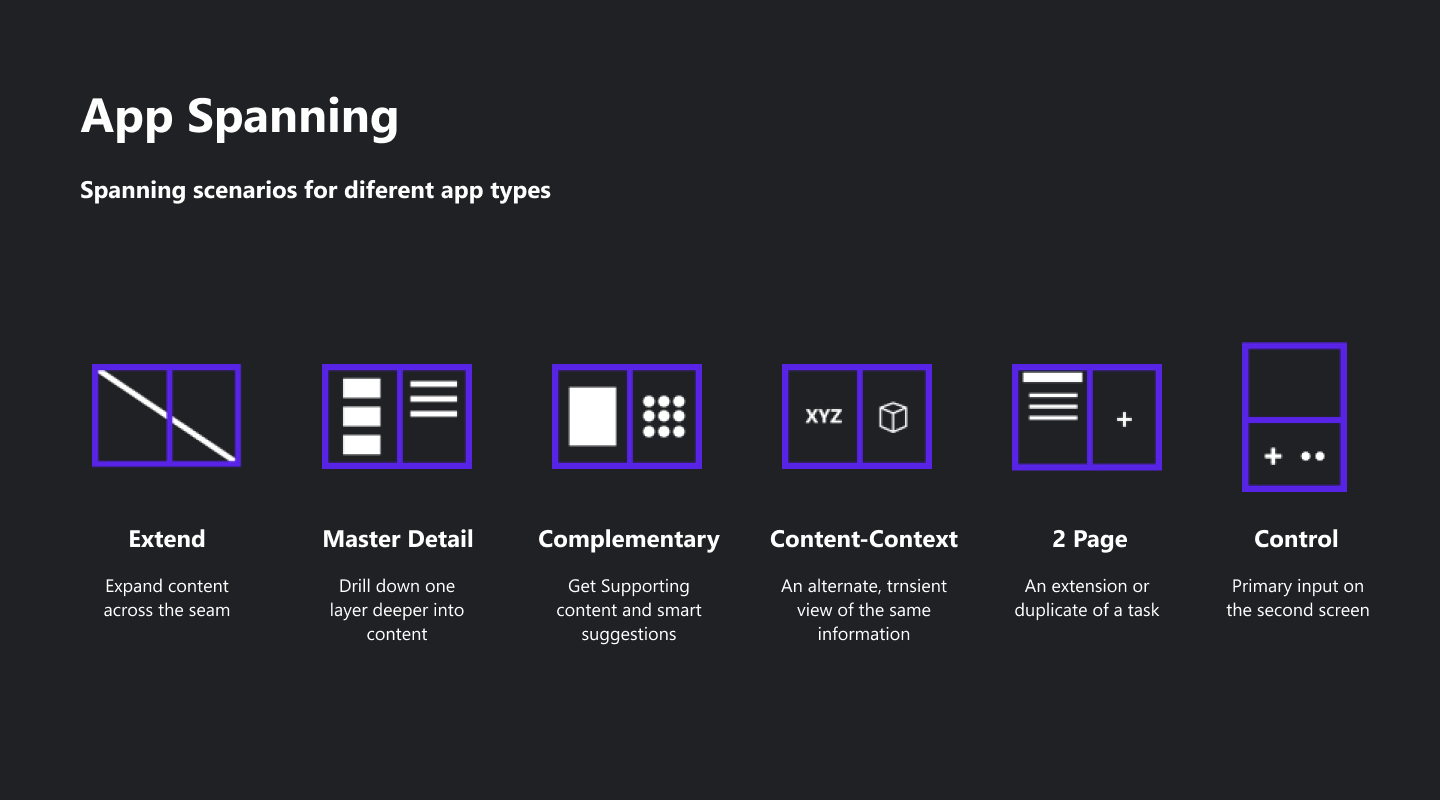
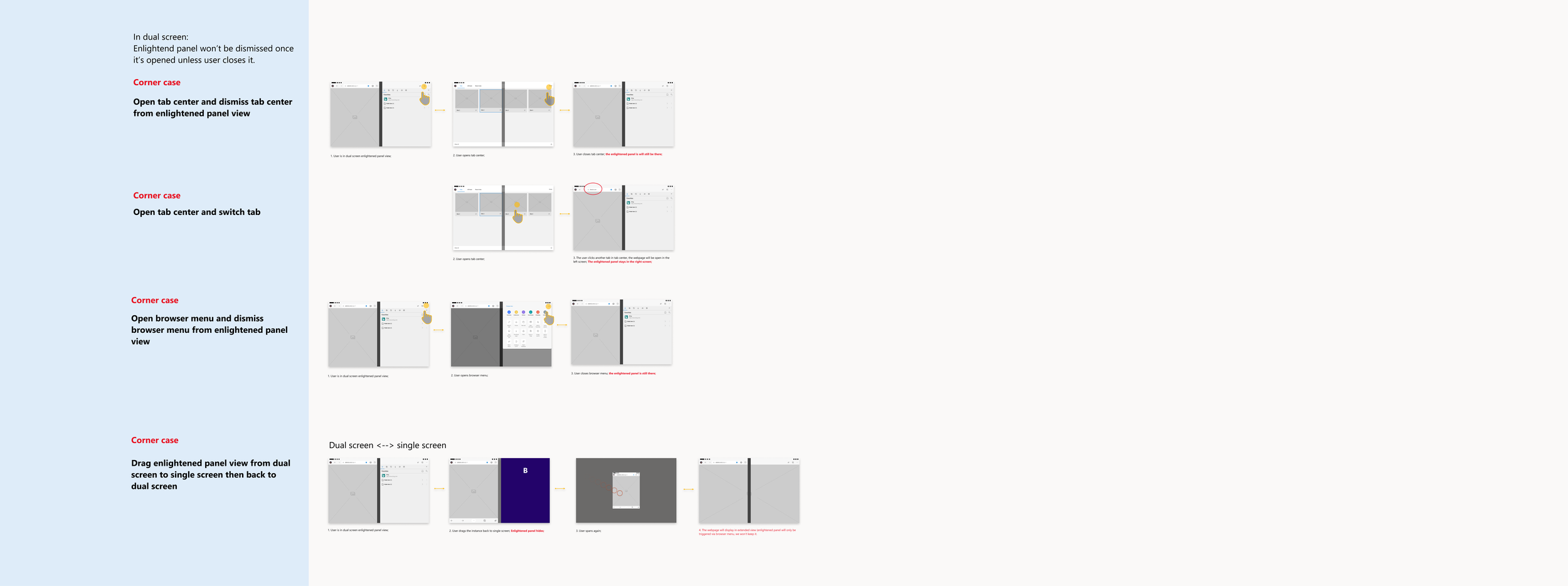
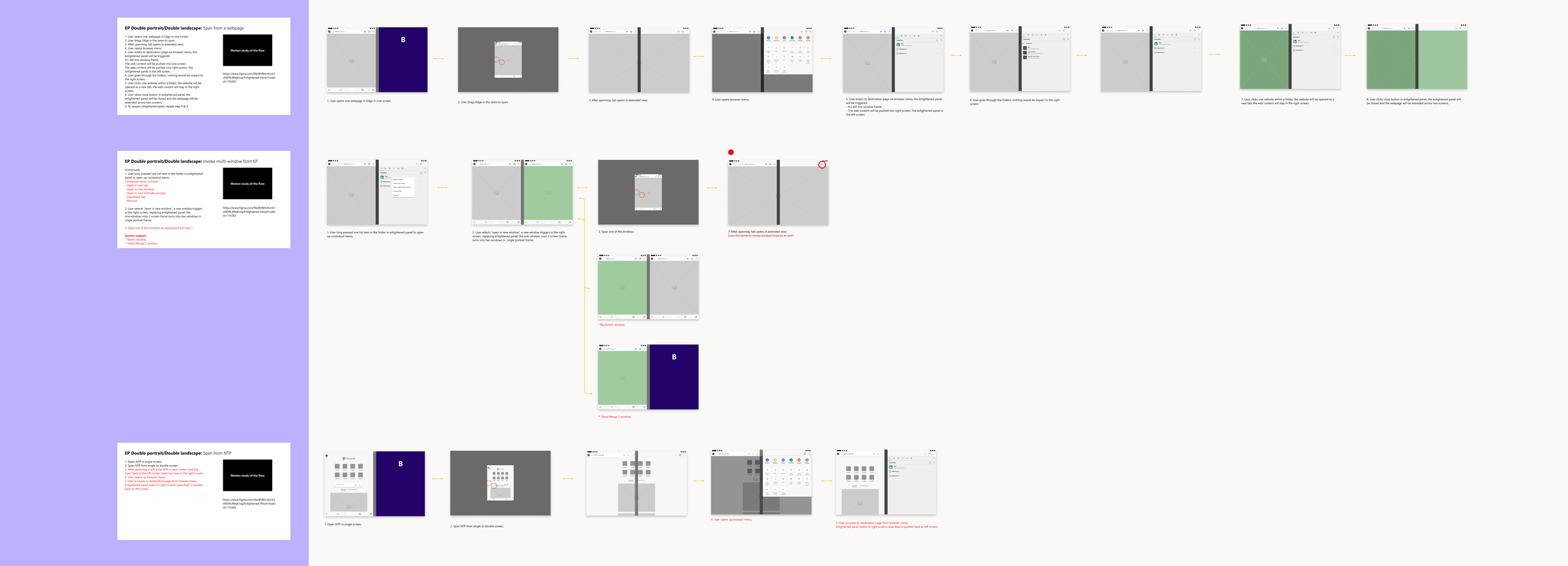
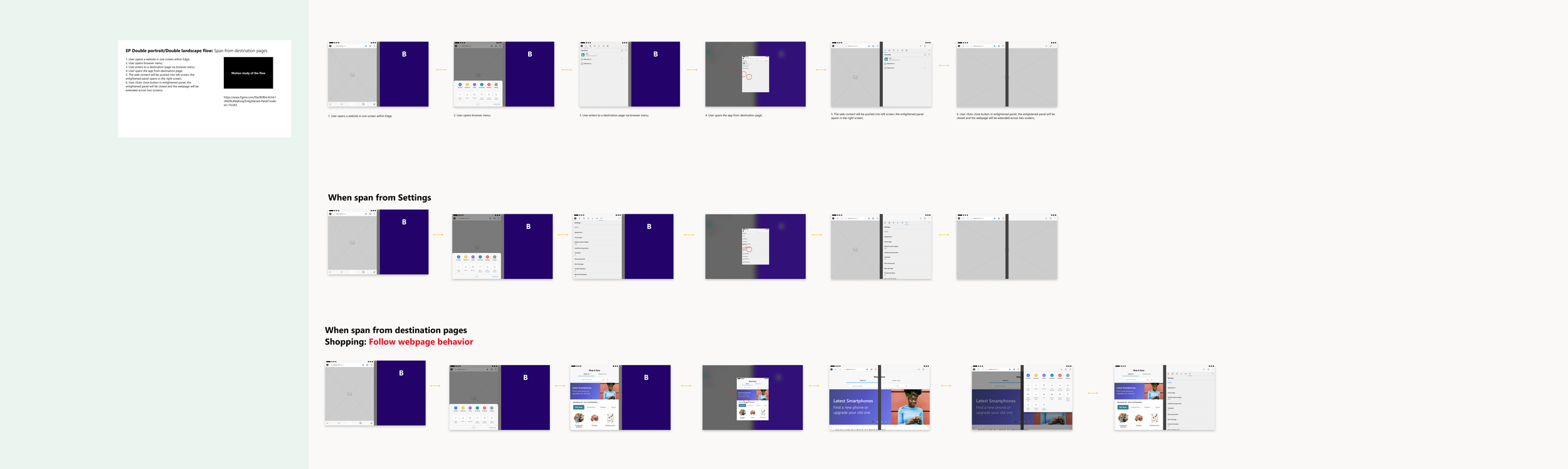
Windowing & Spanning: Optimize dual-screen experience through Enlightened Panel
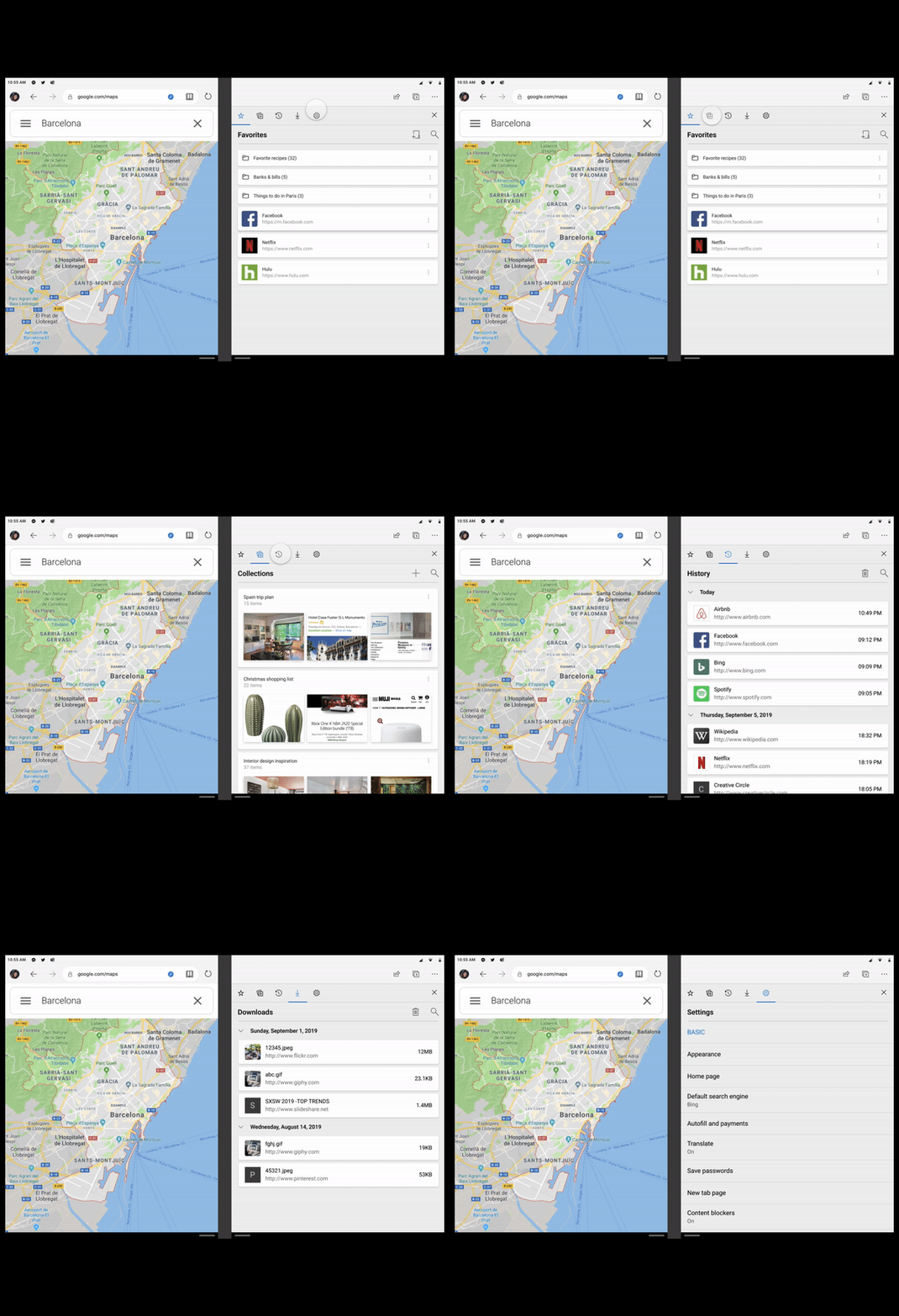
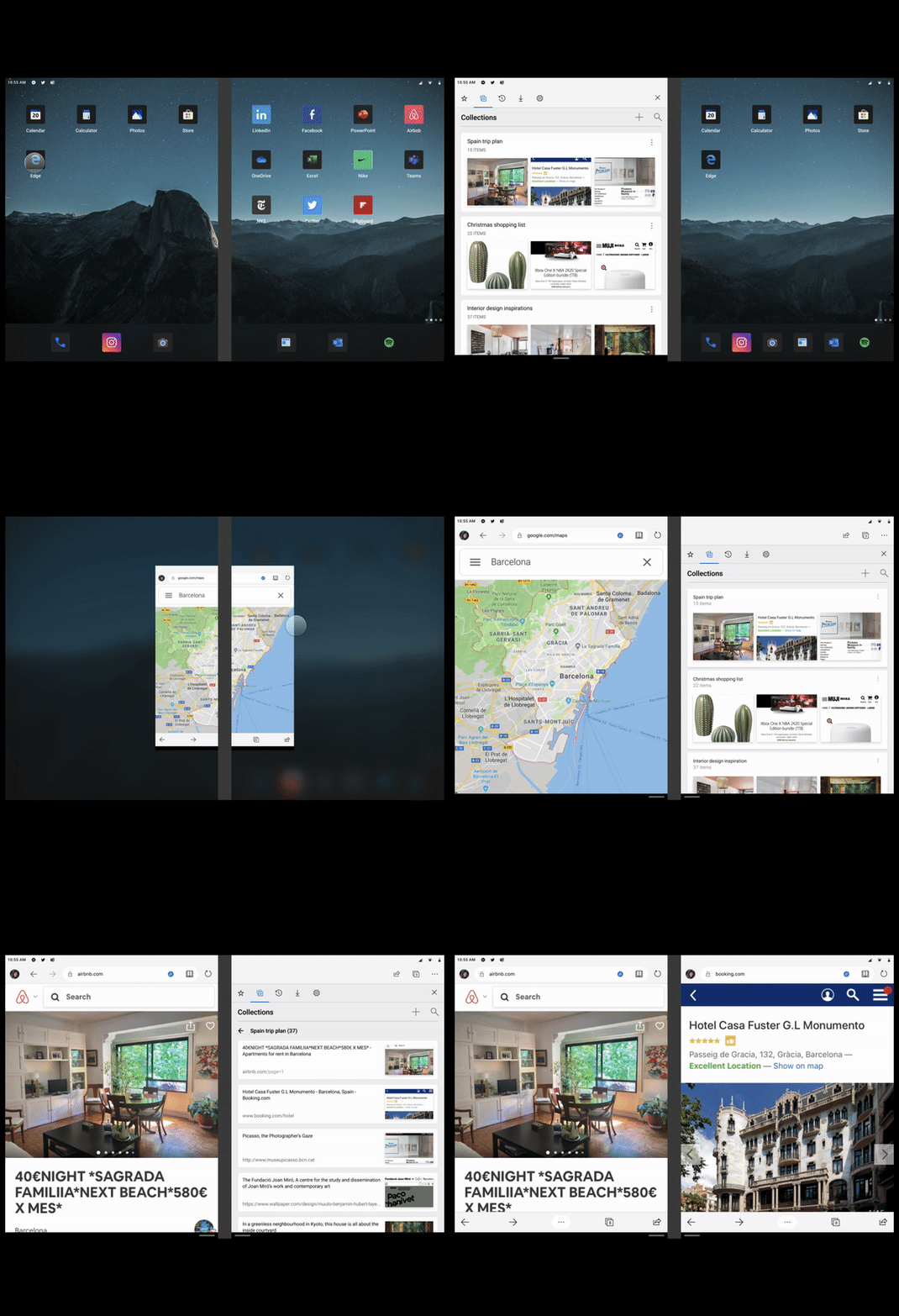
Enlightened Panel: Quickly organize and access sites you like
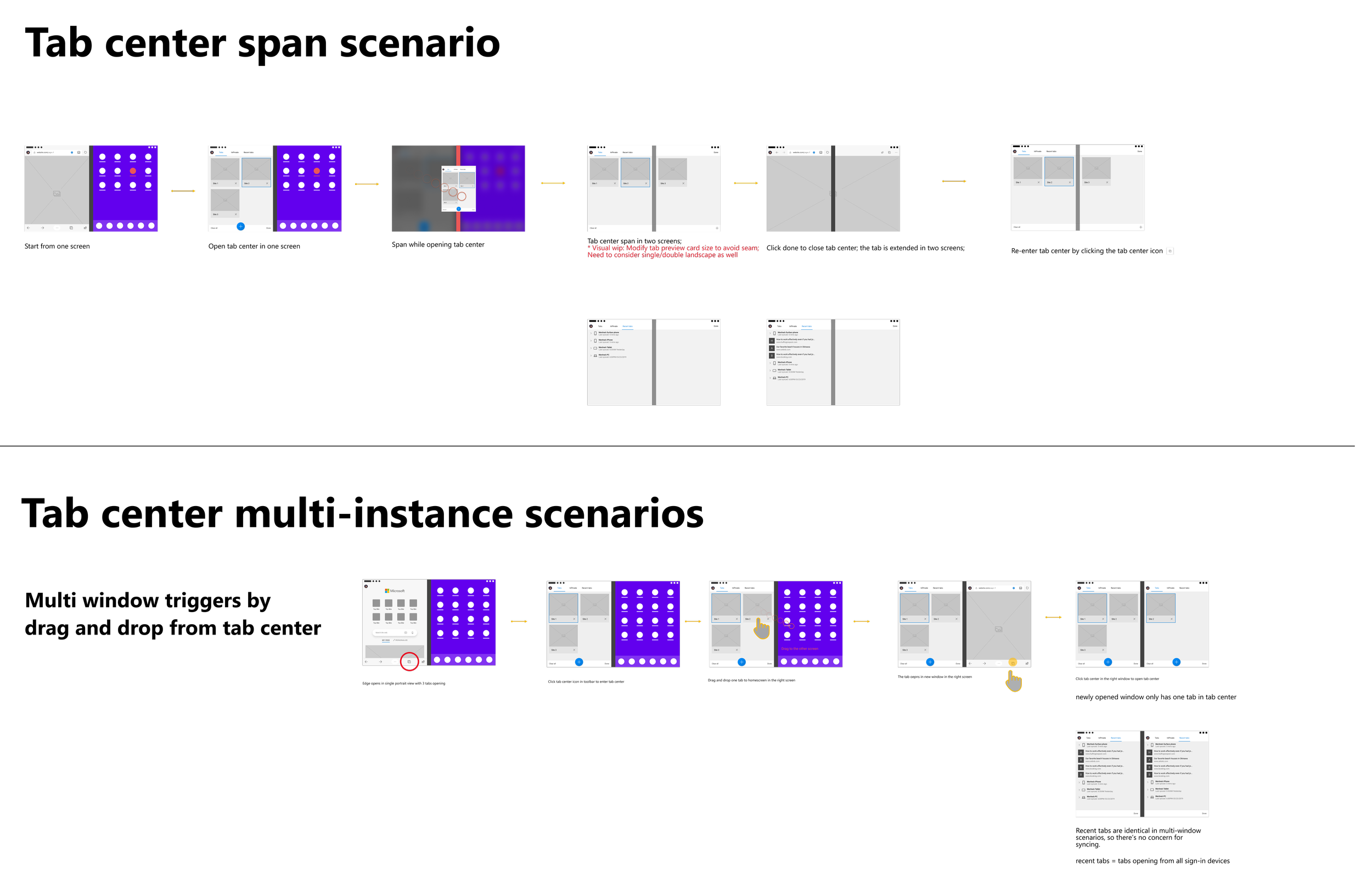
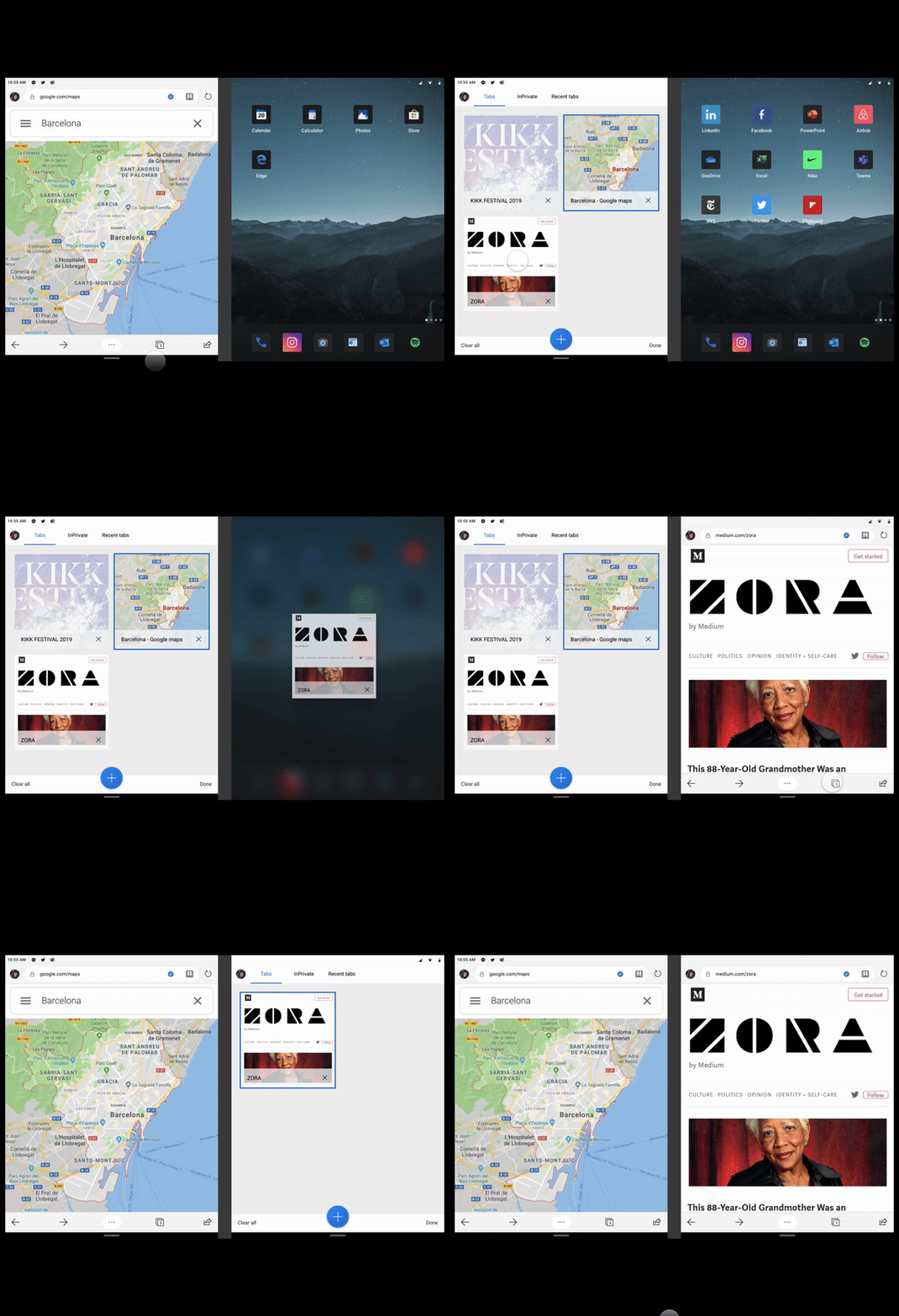
Manage tabs on dual screen: Redefine tab management in Tab Center for Duo

DesignProduct differentiations |concept
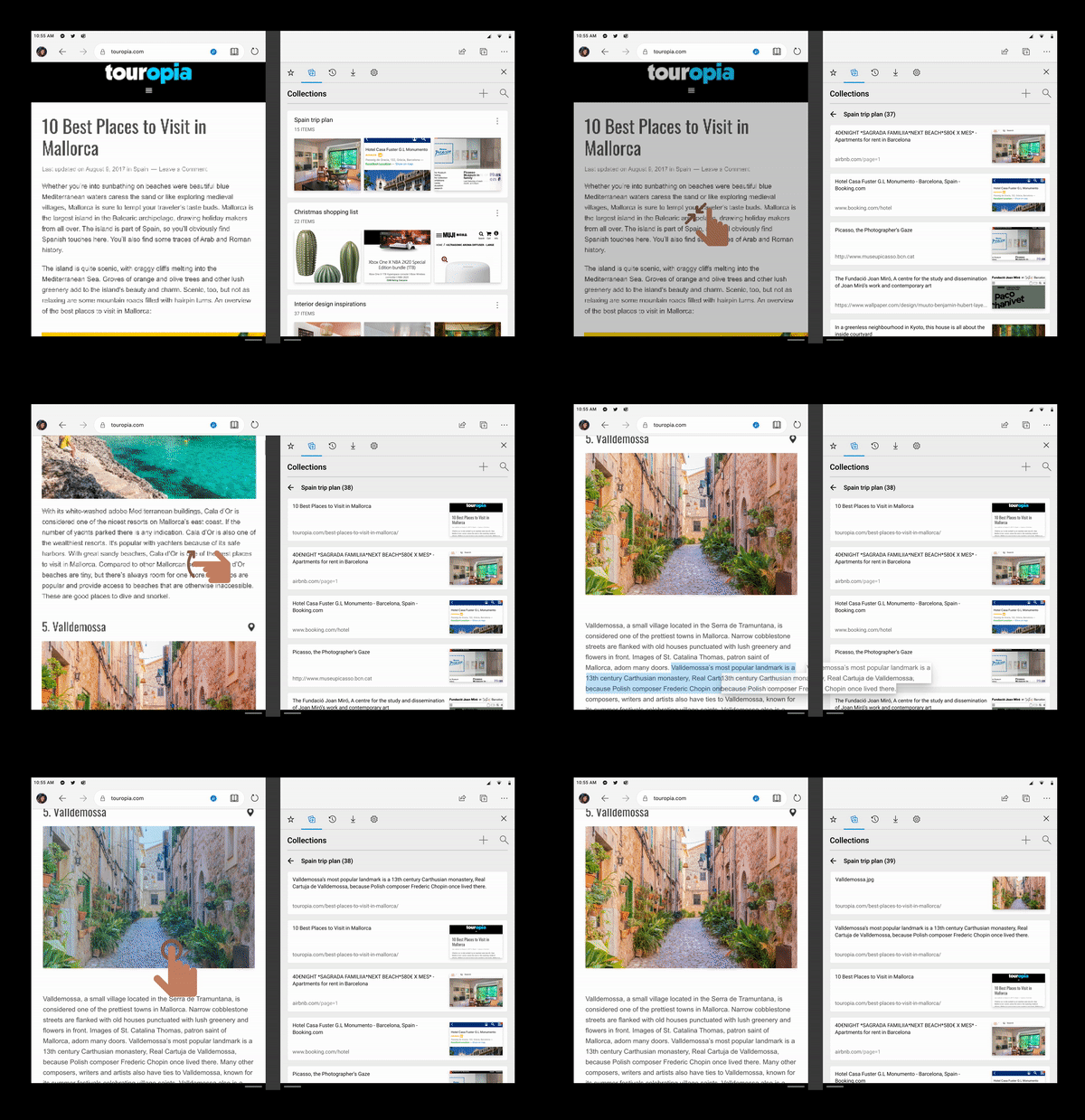
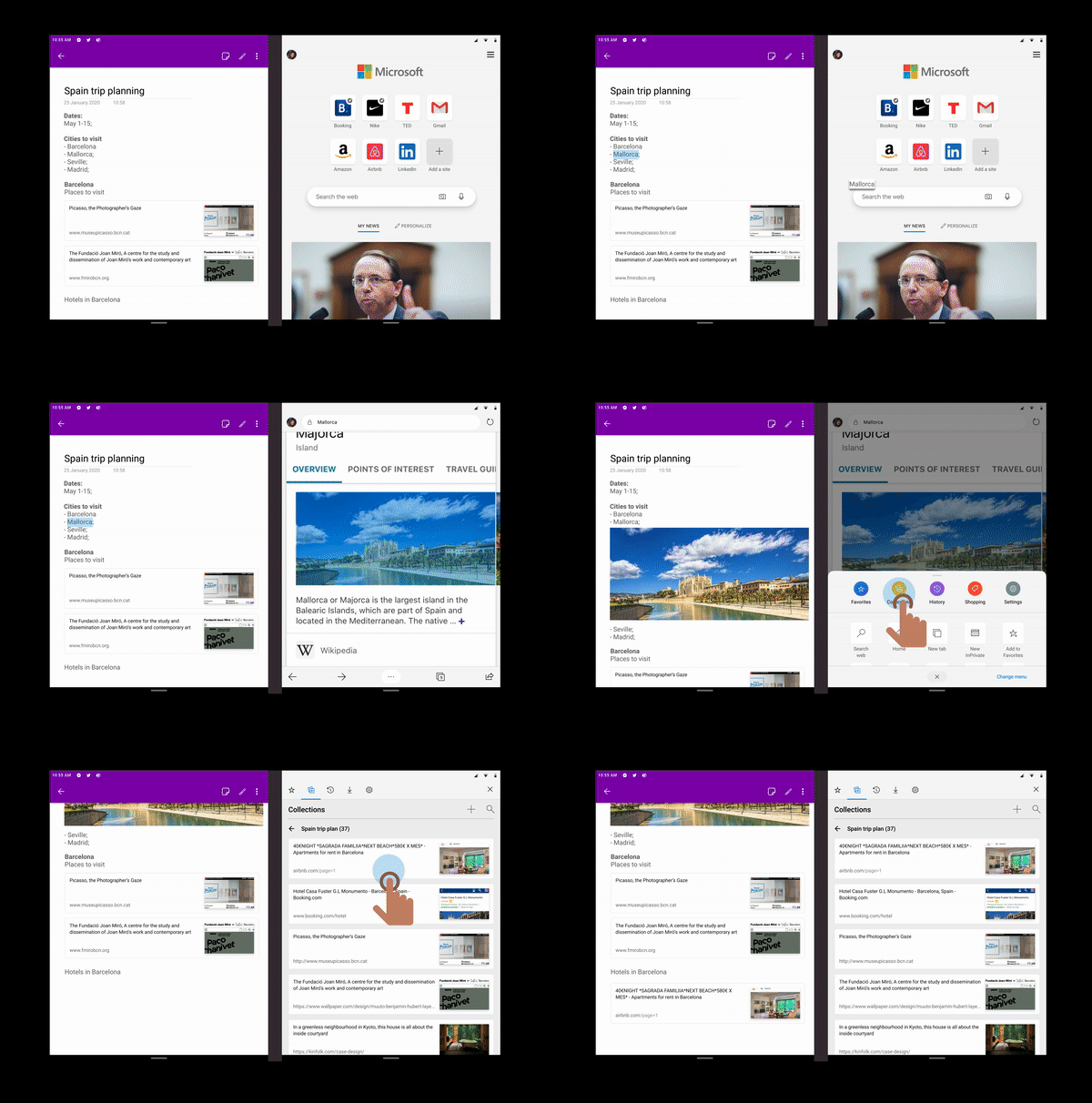
Quickly capture inspirations: Collect any content online that inspires you, from a link or pure text to rich media.
Interact with other apps: Move content directly from the browser to other apps to organize and communicate without losing context; Simply drag and drop to do a quick search.
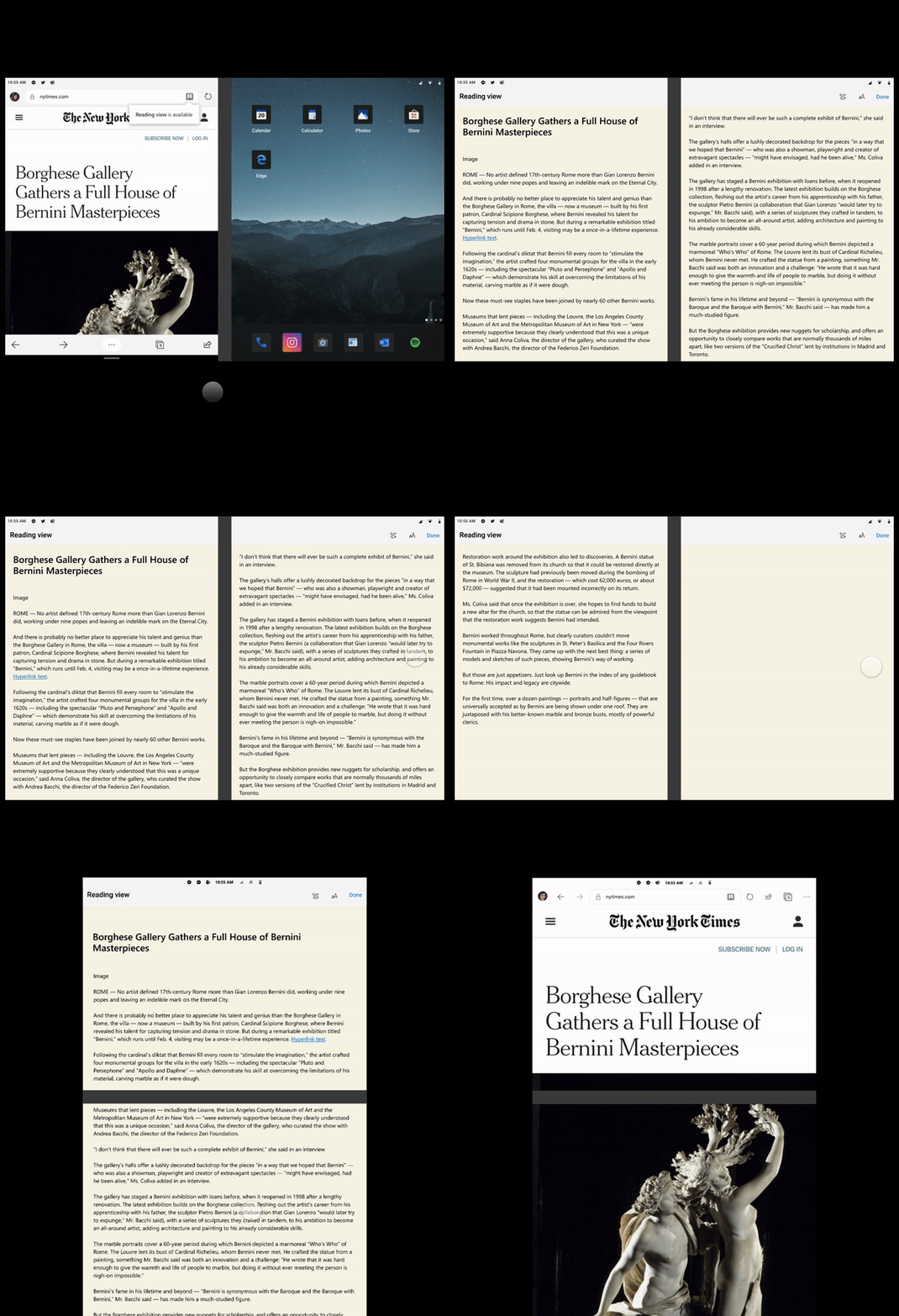
Reading mode on dual screen: Turn a readable website into a book! Enjoy immersive reading mode with no ads or other media distracting you.
DesignThird-Party Recommendation | concept
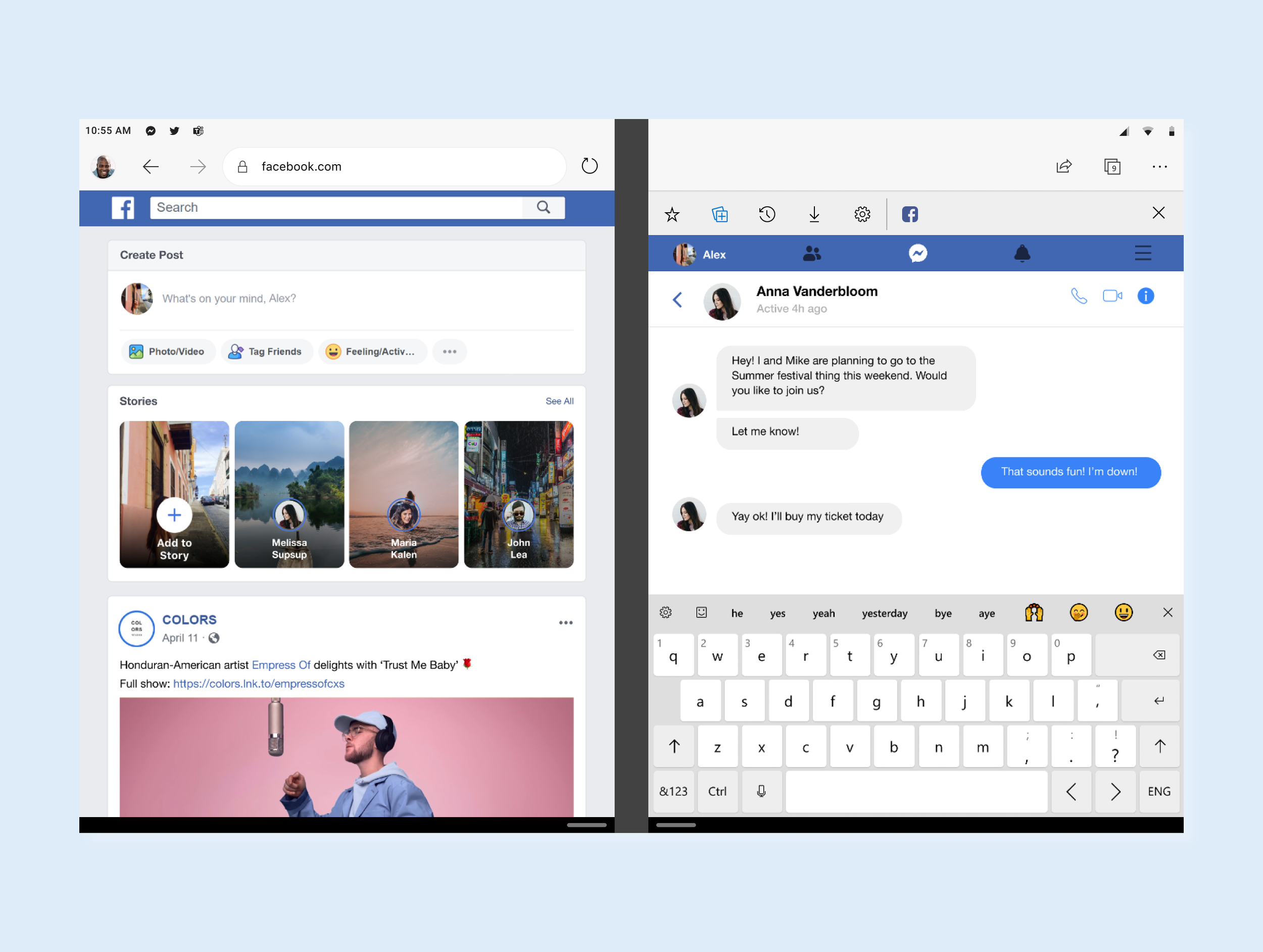
Facebook: Share the latest news instantly by browsing the feed while chatting with your friends.
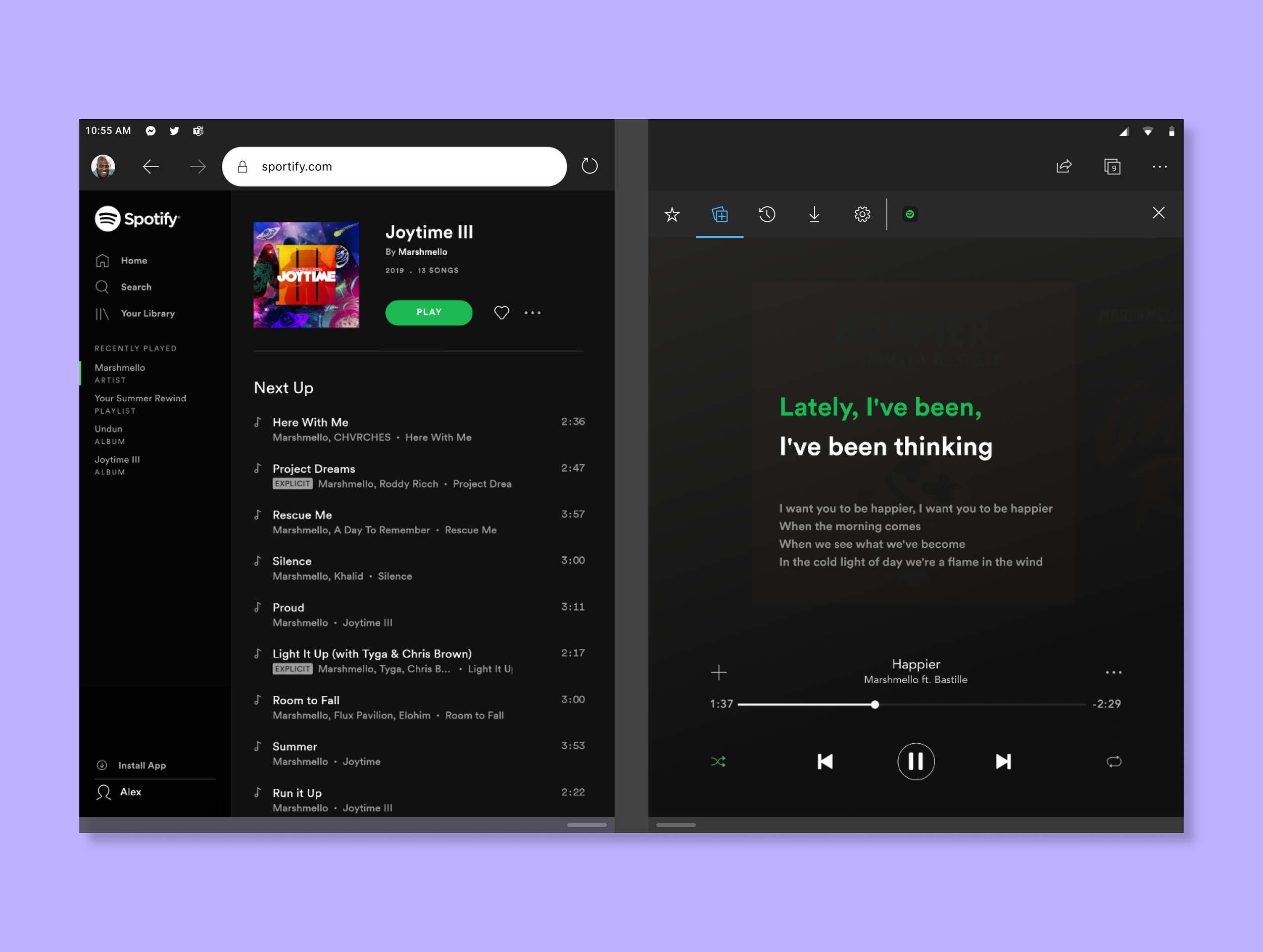
Spotify: Listen to your favorite music while reading lyrics/stories behind it or watching the music video, without losing the context of which list you are on.