Google Keyboard Assistive writing
Led Gboard design initiatives to optimize the Android tablet keyboard experience, successfully integrating advanced hardware keyboard features for millions of active users.
Designed AI-powered assistive writing tools specifically for physical keyboards, resulting in an increase in typing efficiency and user satisfaction scores.
What is assistive writing?
Write accurately
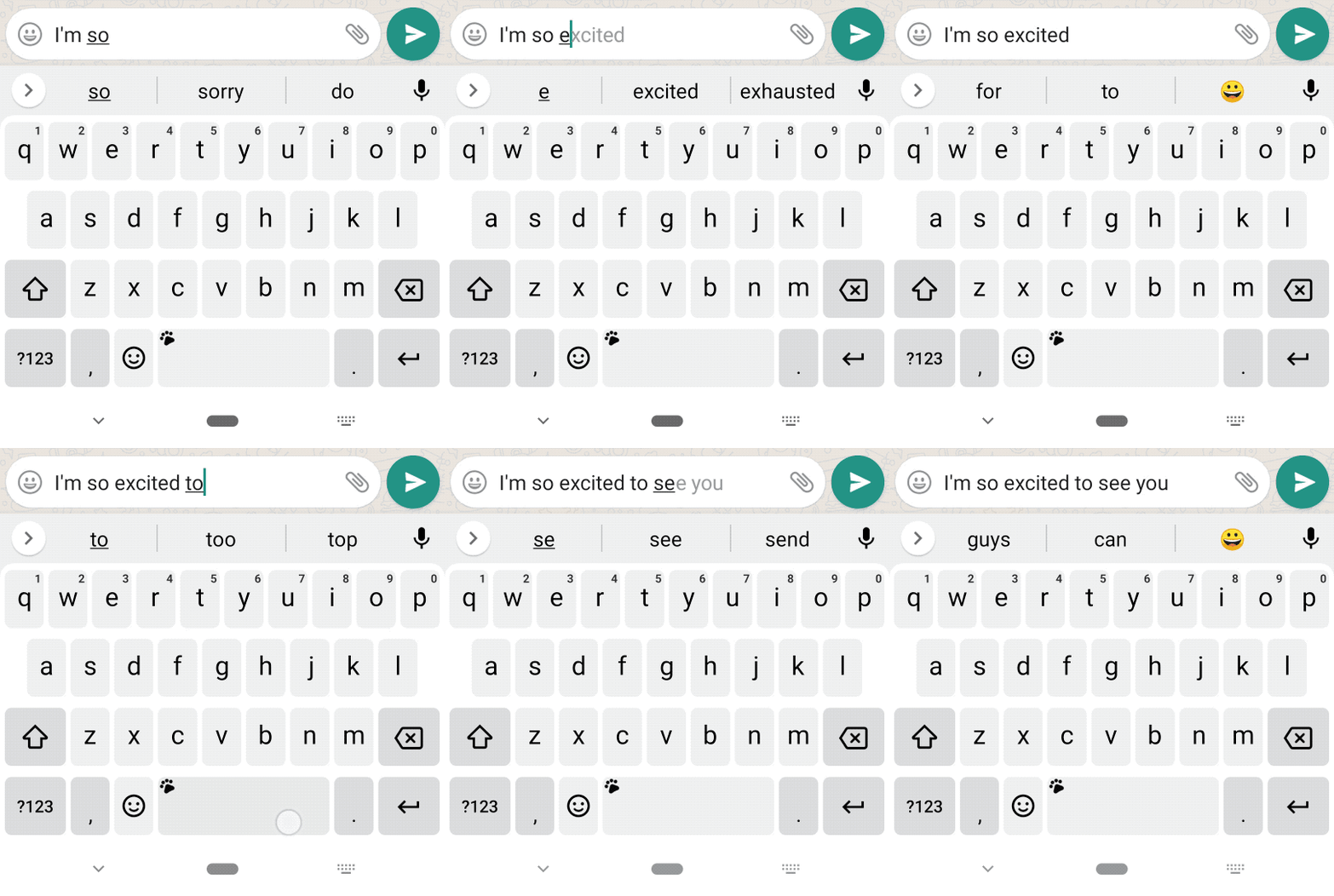
Autocorrect
Assistive writing is a set of features that help physical keyboard users be more effective writers by empowering them to:
Write expressively
Make sure the writing doesn’t contain typos by checking and making corrections for grammatical errors
mobile experience
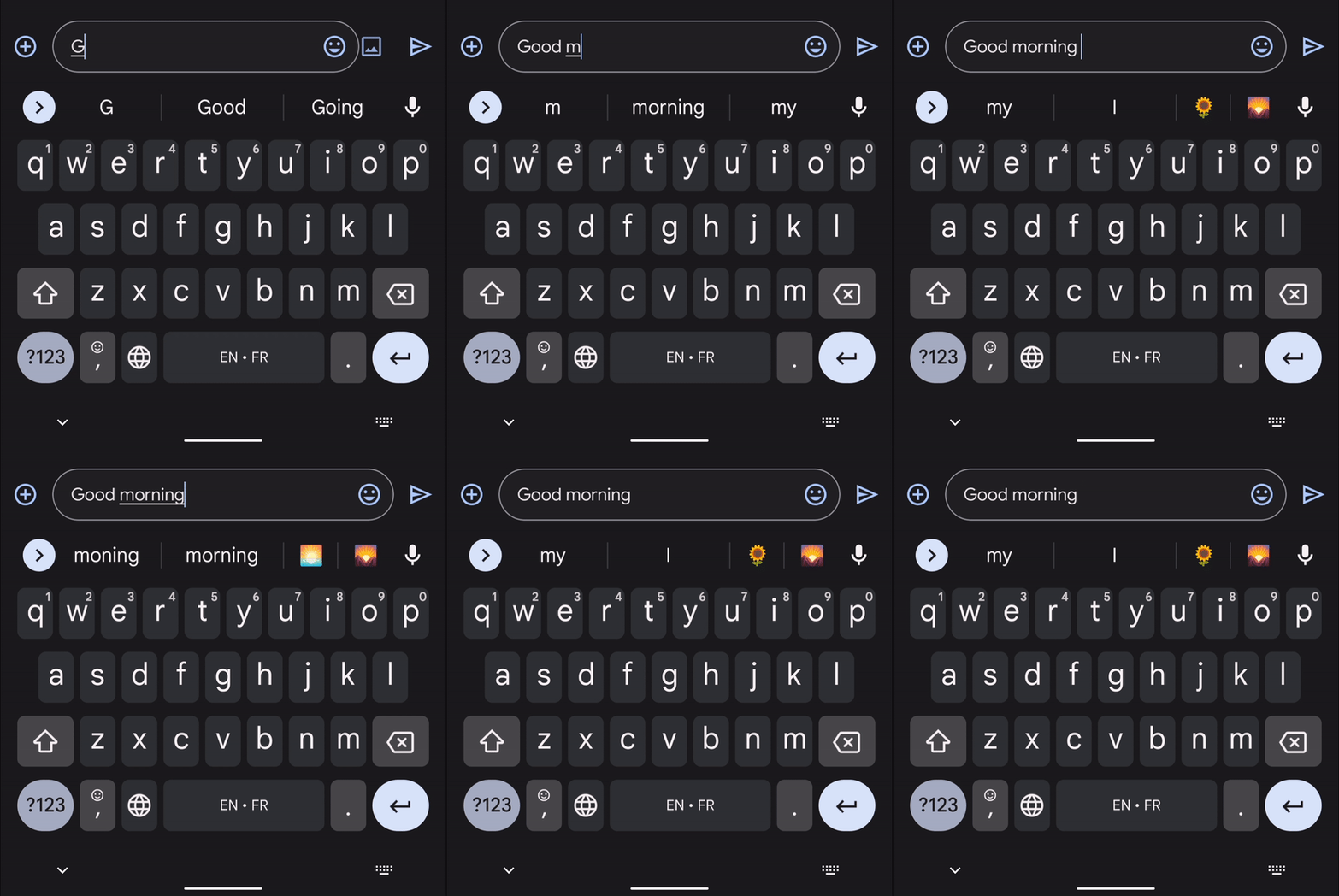
Smart compose
Write with less effort
Easily add expressive elements to the writing (e.g., emojis) when users need them in the right context
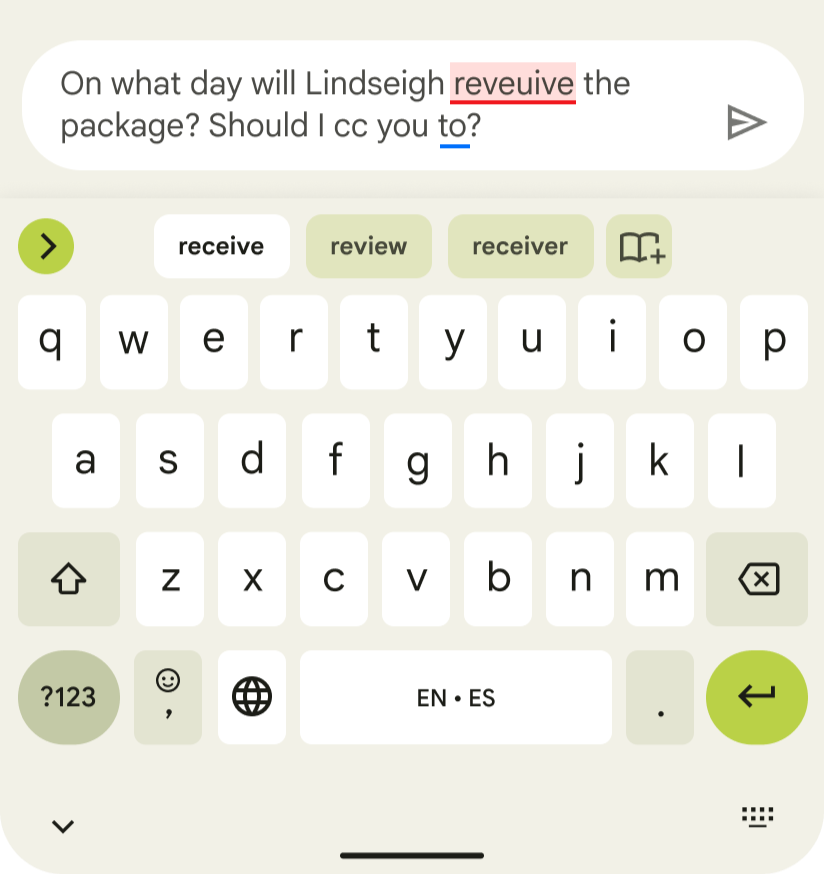
Grammar check
Input with less manual typing, especially for long words or phrases
Tablet insights
Users type faster with physical keyboard
Rethink immediate feedback from keyboard such as prediction and auto correct
Scalability for more versatile use cases
Smart Compose only support several mobile chat app; Consider scalability to other apps where long-form typing would be more common
UI need to be close to where users input
Screen sizes make the difference: provide assistance where users attention are
Product opportunities
Manual efforts to make sure to write correct
No autocorrection or spell-checker, need to review text and rewrite to make corrections
No grammar check, difficult to spot unless carefully checked by the user or another person
Not easy to access expression features
Physical keyboard & virtual keyboard can’t coexist on Android tablets today
Accessing Emoji palette via virtual keyboard entry point requires multiple steps
Every input is via manual typing
Typing on physical keyboard is faster than virtual keyboard, but there’s still headroom to speed up writing
3 user types emerged

Students
Tablets for education
High school, college & graduate students who turn to tablets to streamline their class materials, studying, and note-taking.

Generalists
Broad tablet use
Professionals who use their tablet anytime and anywhere for a wide variety of productivity tasks. They would prefer to stick to one device if they could.

Specialists
Specific tablet use
Professionals, often creative, who use the tablet heavily to amplify one or a few specific skill tasks. They don’t mind having different devices play different roles for their productivity needs.
UX principles
Each design element conveys simplicity and clear intent. User attention should not be diverted by visual noise, by wandering between the screen and the physical keyboard, or by switching from typing to tapping.
Design is focused
To accelerate the adoption curve, the tablet virtual keyboard interface treatments will express a family look-and-feel as Android 1P phones that doesn’t feel foreign to users. Unique elements will be introduced sensibly to optimize the functionality of the physical keyboard.
Design favors cohesiveness
To enable users to work productively, we make sure users feel confident and comfortable with the physical keyboard experience by using input-smarts and allowing them to make adjustments to tailor it to their needs.
Design gives user control
design solutions
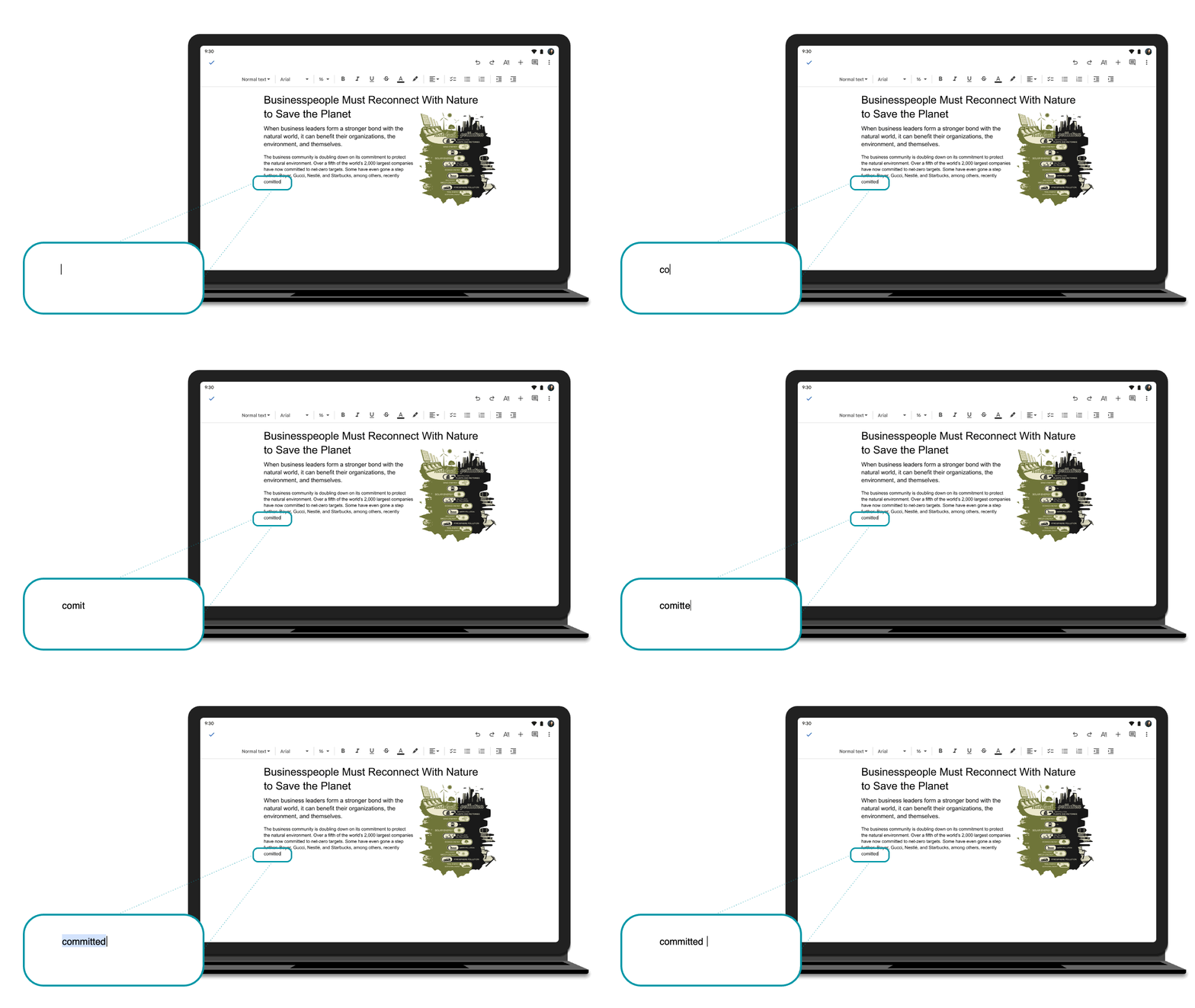
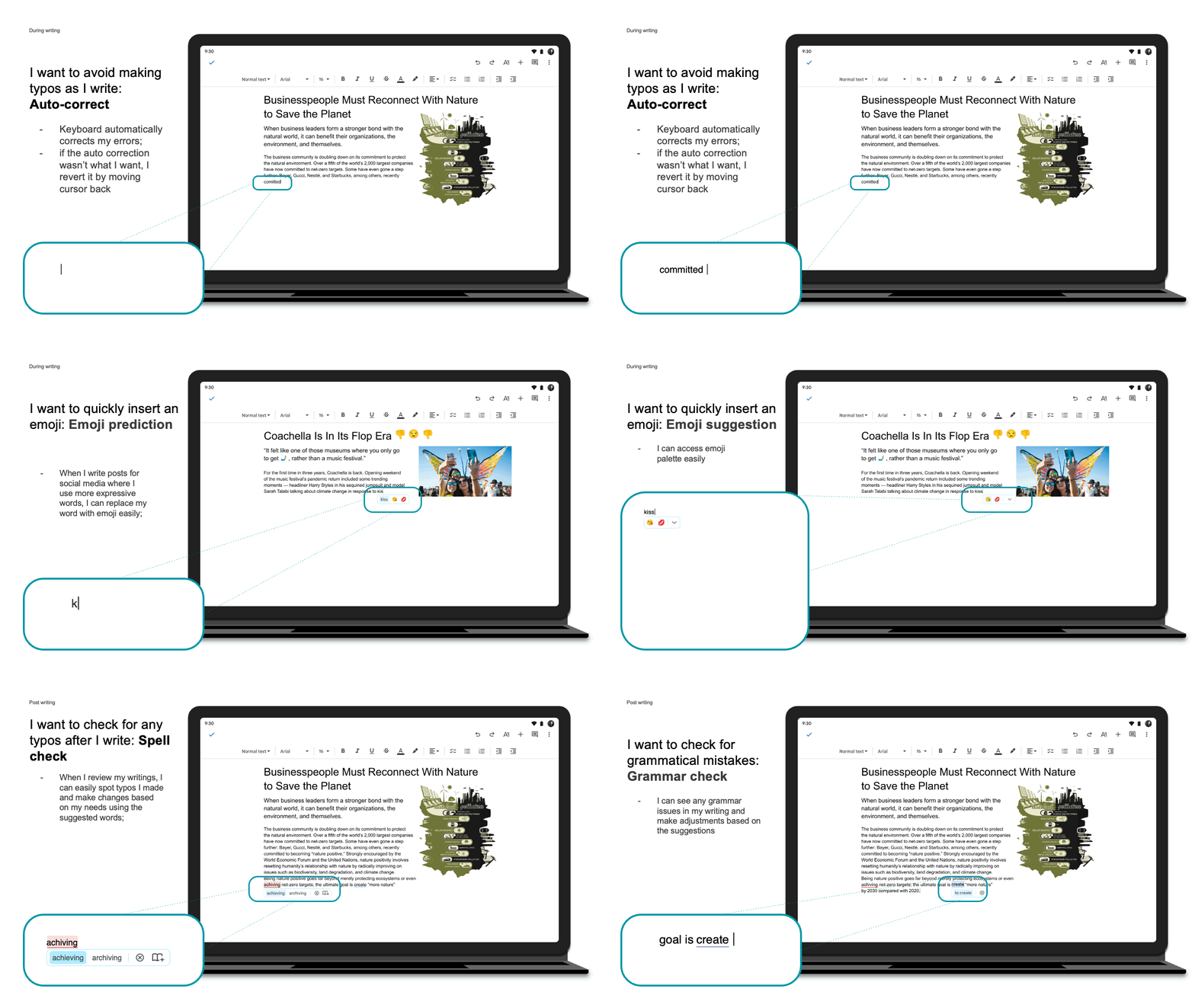
during writing | Auto-correct
I want to avoid making typos as I write:
The keyboard automatically corrects my errors.
If the auto-correction isn’t what I want, I revert it by moving the cursor back.
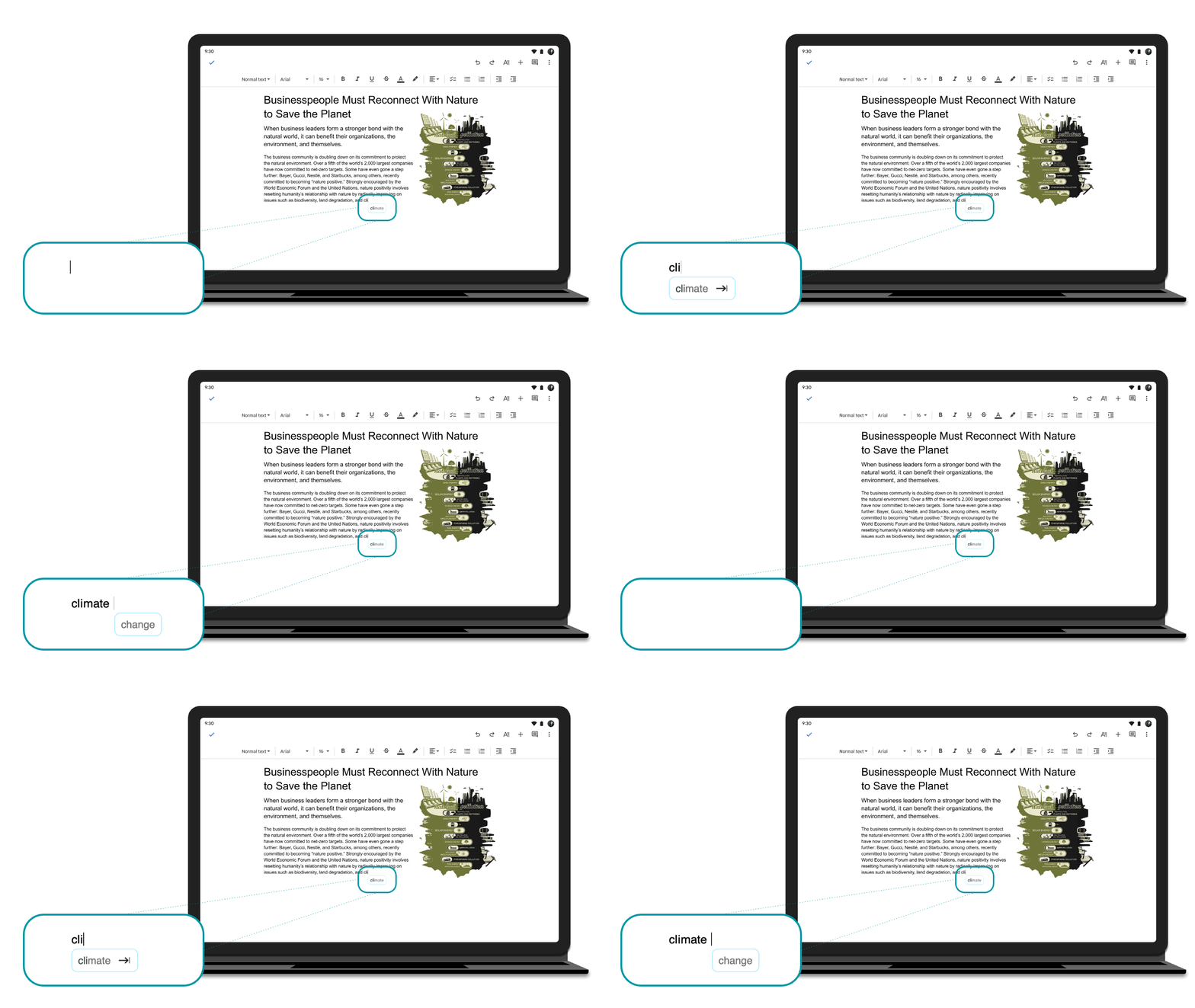
I want to write faster, with minimal typing as necessary:
The keyboard would provide suggestions based on my writing habits and word choices
during writing | Smart compose
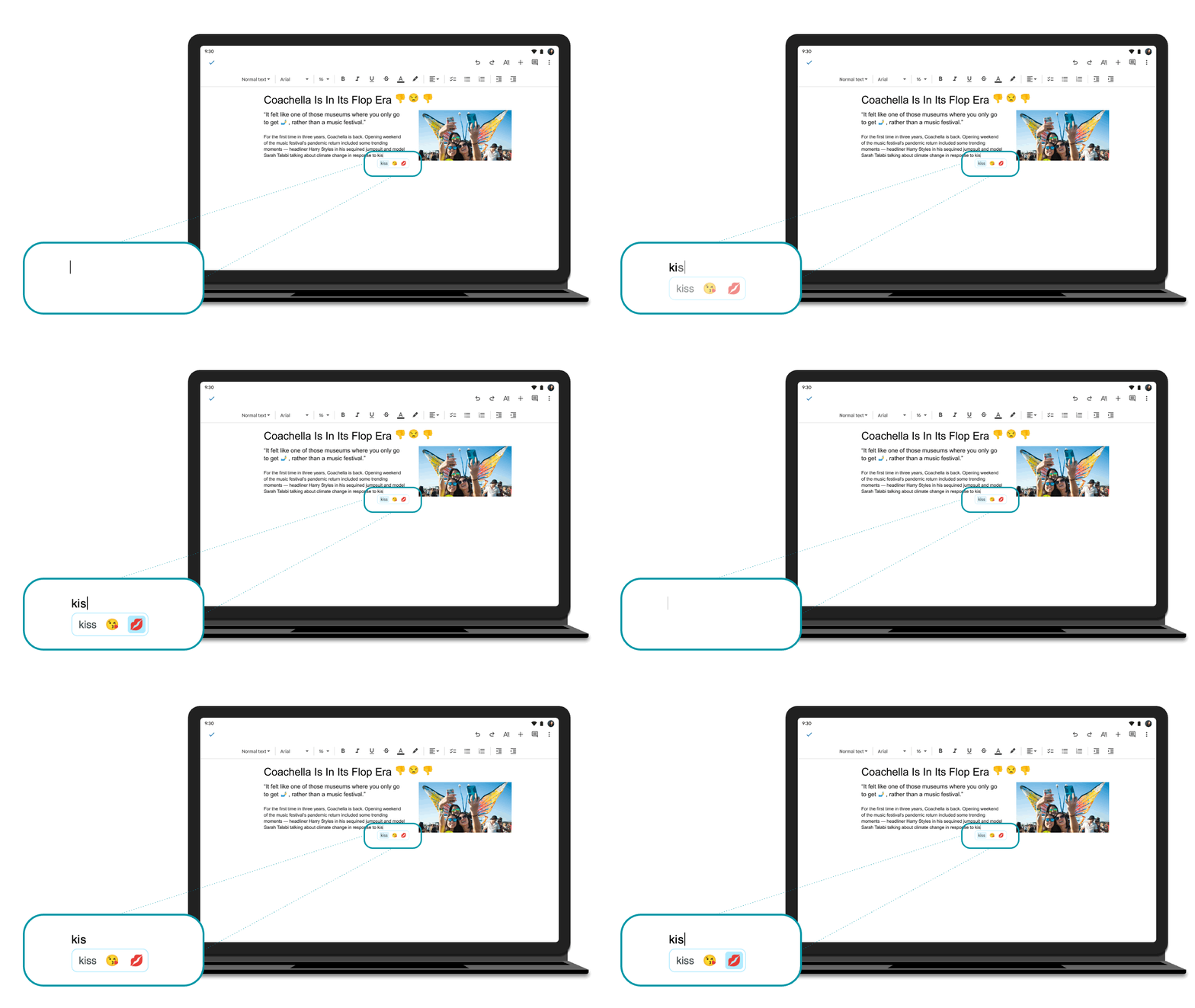
during writing | Emoji prediction
I want to quickly insert an emoji:
When I write posts for social media where I use more expressive words, I can replace my words with emojis easily.
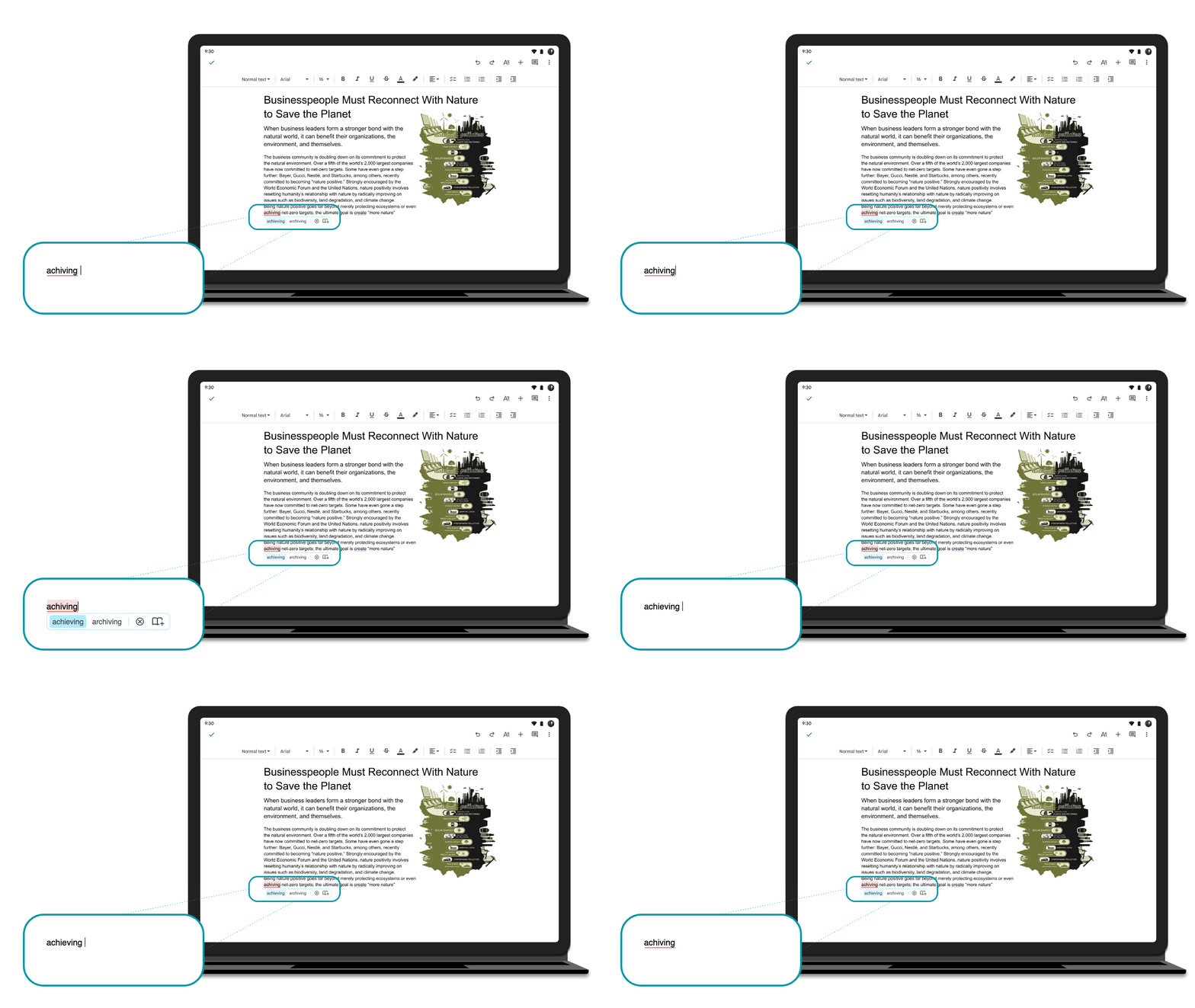
Spell check
I want to check for any typos after I write:
When I review my writing, I can easily spot typos I made and make changes based on my needs using the suggested words.